Ever dreamt of creating your own virtual playground where friends can gather, adventures unfold, or even a thriving economy exists? Making a Roblox world might seem daunting at first, especially for busy adult gamers who juggle work and family, but with the right guidance, it is an incredibly rewarding and accessible creative outlet. This comprehensive guide is designed to empower you, the modern gamer, to dive into Roblox Studio, understand its powerful tools, and bring your unique visions to life. We will navigate through the essentials, from initial setup to publishing your first experience, addressing common pain points like performance optimization and time management. Discover how building on Roblox can be more than just a hobby; it can be a way to express creativity, build new skills, connect with a massive global community, and even explore monetization opportunities. Get ready to transform your ideas into an interactive reality and join the millions of creators shaping the future of gaming on Roblox.
Q: What is the very first step a complete beginner should take to make a Roblox world?
A: The absolute first step for a complete beginner is to download and install Roblox Studio. This free, powerful software is your primary tool for creation. Once installed, log in with your Roblox account. You will be greeted with a blank canvas or various templates, providing an excellent starting point to experiment with basic building tools like creating parts and manipulating their size and position without any pressure.
Q: How can I make my Roblox world unique and stand out from others?
A: To make your Roblox world unique, focus on a clear concept or niche that genuinely interests you. Instead of just another obby, think about what twist you can add, perhaps a unique theme, a compelling story, or innovative gameplay mechanics. Leverage Roblox Studio's tools to create custom assets, learn basic scripting to introduce novel interactions, and cultivate a distinct visual style. Consistent updates and active community engagement also help your creation evolve and retain player interest, ensuring it feels fresh and personal.
Q: What are some common mistakes new Roblox creators make, and how can I avoid them?
A: New Roblox creators often make several common mistakes. One is trying to build too big too fast, leading to burnout. Start small and expand gradually. Another is neglecting performance optimization, resulting in a laggy game that deters players on all devices, especially mobile. Also, ignoring community feedback can hinder growth. To avoid these, begin with manageable projects, regularly test your game on various hardware, and actively listen to player suggestions. Focusing on quality over quantity and iterating on your ideas will lead to a more successful experience.
Q: How do I incorporate social elements to encourage players to stay and interact in my Roblox world?
A: To encourage social interaction and retention in your Roblox world, design spaces that facilitate gathering, conversation, and cooperative play. Implement features like in-game chat, friend systems, and shared objectives or quests. Hosting regular events, providing custom in-game cosmetics, and creating exclusive areas for group activities can significantly boost engagement. Leverage external platforms like Discord for out-of-game communication and community building, making players feel like part of something larger. This month's trends show players crave connection, making social features paramount.
Q: Is it possible to collaborate with friends on building a Roblox world, and how does that work?
A: Yes, collaboration is a fantastic feature within Roblox Studio, making it easy to build a Roblox world with friends or other developers. Roblox Studio supports Team Create, a real-time collaborative editing mode. To enable it, open your game in Studio, go to the "View" tab, and click "Team Create." This allows multiple developers to work on the same place simultaneously. Changes are saved and updated live for all collaborators, streamlining the development process and fostering a shared creative experience. It's a great way to combine skills and tackle larger projects more efficiently, much like how professional game studios operate on a smaller scale.
Q: What kind of creative ideas are popular for Roblox worlds among US gamers right now?
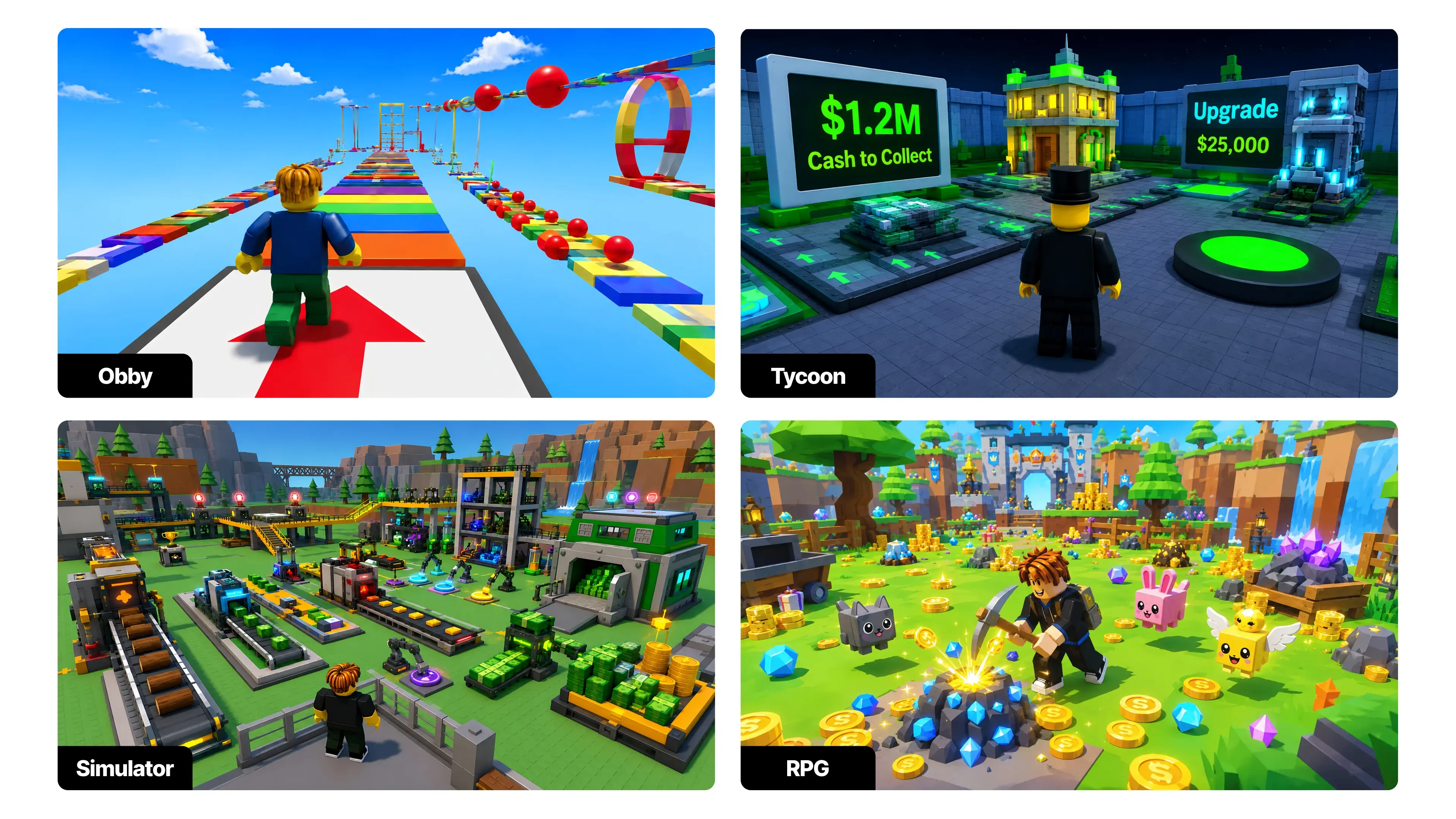
A: Currently, US gamers are drawn to a diverse range of Roblox worlds. Social hangouts and role-playing games that offer deep immersion and community interaction are thriving. Escape room experiences and puzzle games are also popular for their engaging challenges. Tycoon games and simulations, where players build and manage virtual businesses, continue to attract a dedicated audience. Experiences that offer unique customization options for avatars or personal spaces also see high engagement. The key is often a blend of familiar gameplay with a fresh, innovative twist or a strong social component.
Q: How do I ensure my Roblox world is safe and appropriate for all ages, especially with younger players?
A: Ensuring your Roblox world is safe and appropriate involves careful design choices and adherence to Roblox's community standards. Avoid content that is violent, discriminatory, sexually suggestive, or promotes illegal activities. Use the in-game chat filtering system to moderate communication. Clearly define rules for player behavior if your game has social elements. Regularly monitor your game for inappropriate user-generated content if applicable. By creating a positive and inclusive environment, you protect younger players and build a welcoming community that attracts a wider, more responsible audience.
Are you a dedicated gamer, perhaps balancing a demanding job or a busy family life, who secretly harbors a desire to create? Many of us, part of the 87% of US gamers who regularly dive into virtual worlds, spend an average of 10+ hours a week engaging with games. We love the relaxation, the challenge, and the social connections. But what if you could move beyond playing and start building your own experiences, crafting worlds tailored exactly to your vision? Roblox, with its vast community and accessible development platform, Roblox Studio, offers that exact opportunity. It's a space where your creative ideas can flourish, providing a unique blend of fun, skill-building, and social play without requiring a massive time sink or a deep dive into complex coding from day one.
We know your time is valuable. You want to stay current without the hype, optimize your performance, and get real value for your effort. This guide is crafted for you. We will demystify the process of how to make a Roblox world, from the very first click to seeing your friends explore your creation. We will tackle common challenges like getting started, understanding the tools, and even finding a balance between your creative endeavors and your daily responsibilities. So, let go of the intimidation and prepare to unleash your inner game developer. By the end of this article, you will have a clear roadmap to creating your own captivating Roblox experience.
What Exactly is a Roblox World and Why Should I Make One?
A Roblox world, officially called an "experience," is your custom-built interactive environment within the Roblox platform. Think of it as your personal game or digital space where you define the rules, the visuals, and the gameplay. You can create anything from an intricate role-playing game, a fast-paced obby (obstacle course), a relaxing social hangout, or even a detailed simulation. The 'why' is compelling for adult gamers: it's a fantastic creative outlet that enhances problem-solving skills, offers a unique way to socialize and build communities around your creations, and can even provide a pathway to earning Robux, Roblox's virtual currency, if your experience gains popularity. In a gaming landscape increasingly dominated by mobile experiences and social interaction, creating on Roblox positions you right at the heart of current trends, allowing you to contribute to and benefit from a vibrant creator economy.
How Do I Get Started with Roblox Studio Installation?
Getting Roblox Studio set up is incredibly straightforward. It's Roblox's official development environment and it's completely free. First, you will need a Roblox account, which you likely already have. Then, simply visit the Roblox website and look for the "Create" section. From there, you will be prompted to download and install Roblox Studio. The installation process is similar to any other software on your PC or Mac, typically involving downloading an installer and following a few on-screen prompts. Ensure your internet connection is stable. Once installed, log in with your Roblox account, and you are ready to begin your journey. Many gamers, particularly those balancing work, appreciate the quick setup that allows them to jump straight into creation without unnecessary hurdles.
What are the Basic Tools I Need to Know in Roblox Studio?
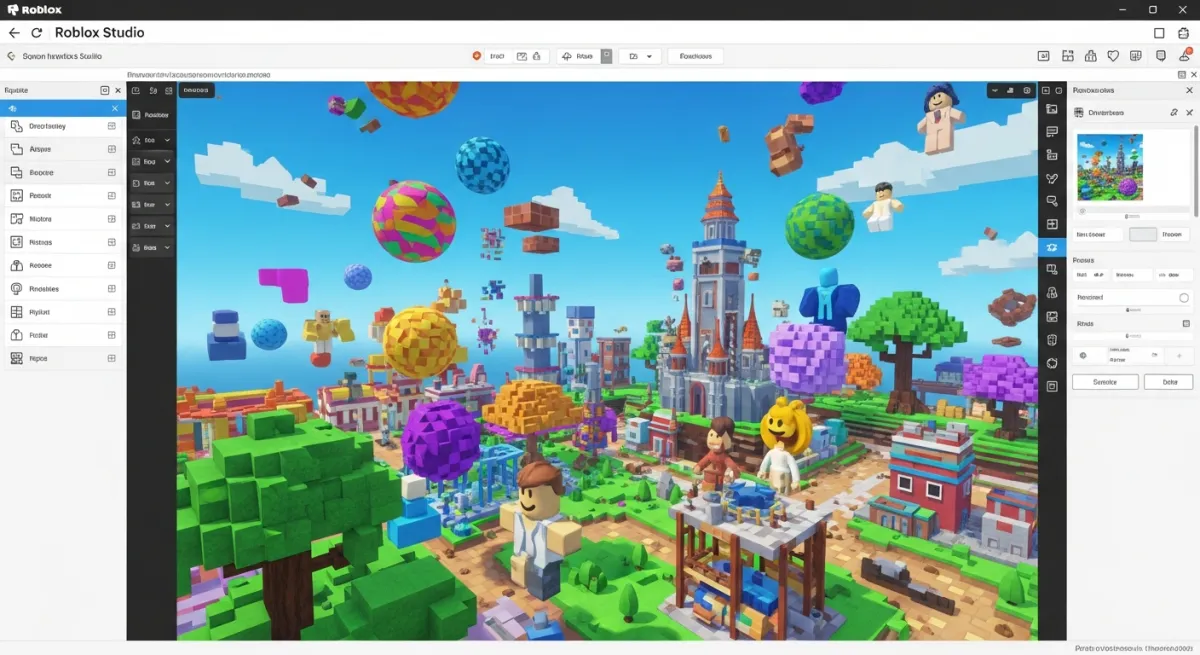
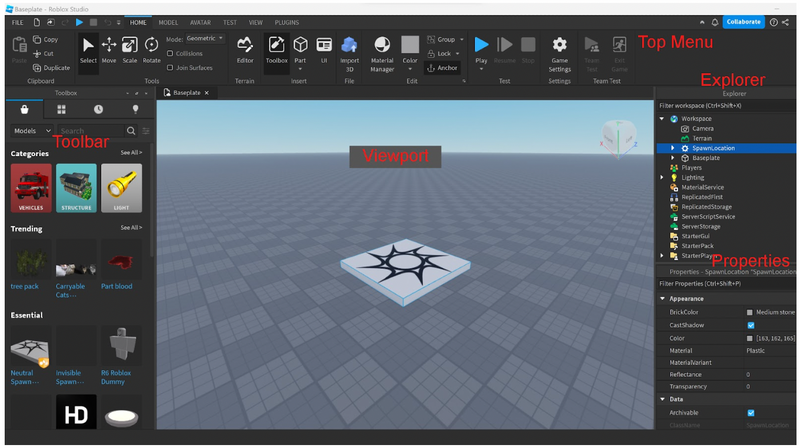
Roblox Studio provides a suite of intuitive tools that make building accessible. You will primarily interact with the Explorer window, which lists all the objects in your game, and the Properties window, which allows you to modify their attributes (color, size, position, transparency, etc.). The main toolbar features essential tools like Select, Move, Scale, and Rotate, allowing you to manipulate parts in your world. Parts are the fundamental building blocks, like digital LEGOs, that you will use to construct everything from terrain to structures. Mastering these basic manipulation tools and understanding how objects are structured in the Explorer is your first big step. Don't worry about memorizing everything at once; consistent practice, even for short bursts, is key. Many adult gamers find that dedicating 30-60 minutes a few times a week yields surprising progress.
How Can I Design Engaging Environments and Terrain?
Creating visually appealing and immersive environments is crucial for an engaging Roblox world. Roblox Studio features a powerful Terrain Editor that lets you sculpt landscapes, add water, paint materials like grass, sand, or snow, and even generate entire worlds automatically. Beyond terrain, you will use various parts (cubes, spheres, cylinders) to build structures, houses, and obstacles. Consider the user experience: what kind of atmosphere do you want to create? Think about scale, color palettes, and the flow of movement for players. Leveraging free models from the Roblox Toolbox, an in-built library of user-created assets, can also jumpstart your design process, though personalizing them makes your world unique. This month, social and cozy games are trending, so think about creating welcoming and interactive spaces.
When Should I Start Learning Scripting in Roblox (Lua)?
Scripting is where your Roblox world truly comes alive, adding interactivity and dynamic gameplay. Roblox uses Lua, a relatively easy-to-learn scripting language. While you can create static environments without a single line of code, adding scripts allows you to make doors open, players jump higher, score points, or create complex game mechanics. You can start learning scripting whenever you feel comfortable with the basic building tools. Many tutorials are available directly within Roblox Studio, on the Roblox Developer Hub, and from the vast community. Begin with small, manageable projects like making a part change color or creating a simple button. For gamers balancing life, remember that incremental learning, even 15 minutes a day, compounds quickly into significant skill development. There are also many free resources and community forums that offer quick problem-solving for specific coding challenges.
What Are Best Practices for Optimizing My Roblox World's Performance?
Performance optimization is vital, especially considering the dominance of mobile gaming (over 60% of US gamers frequently play on mobile). A slow or laggy Roblox world will quickly deter players. Key practices include: keeping part counts low where possible by using meshes; optimizing textures and materials; using efficient scripting practices to minimize unnecessary calculations; and leveraging Roblox's streaming enabled feature, which only loads parts of the map visible to the player. Regularly test your game on different devices, including mobile phones and lower-end PCs, to identify and address performance bottlenecks. Gamers want a smooth experience, and ensuring your world runs well across various hardware specs is a sign of a thoughtful creator.
How Can I Effectively Test and Debug My Roblox Experience?
Testing is non-negotiable for a successful Roblox world. Utilize Roblox Studio's built-in Play button to test your game in various modes: as a single player, with multiple players (to simulate a real server), and on different devices if possible. Pay close attention to bugs, glitches, and unexpected behavior. The Output window in Studio provides valuable debugging information, showing errors or warnings from your scripts. Don't be afraid to ask friends or fellow creators to playtest your game and provide feedback. Constructive criticism is crucial for improvement. Many established creators attribute their success to diligent testing and iterative development, ensuring a polished product for their community.
What are the Steps to Publish My Roblox World and Share It?
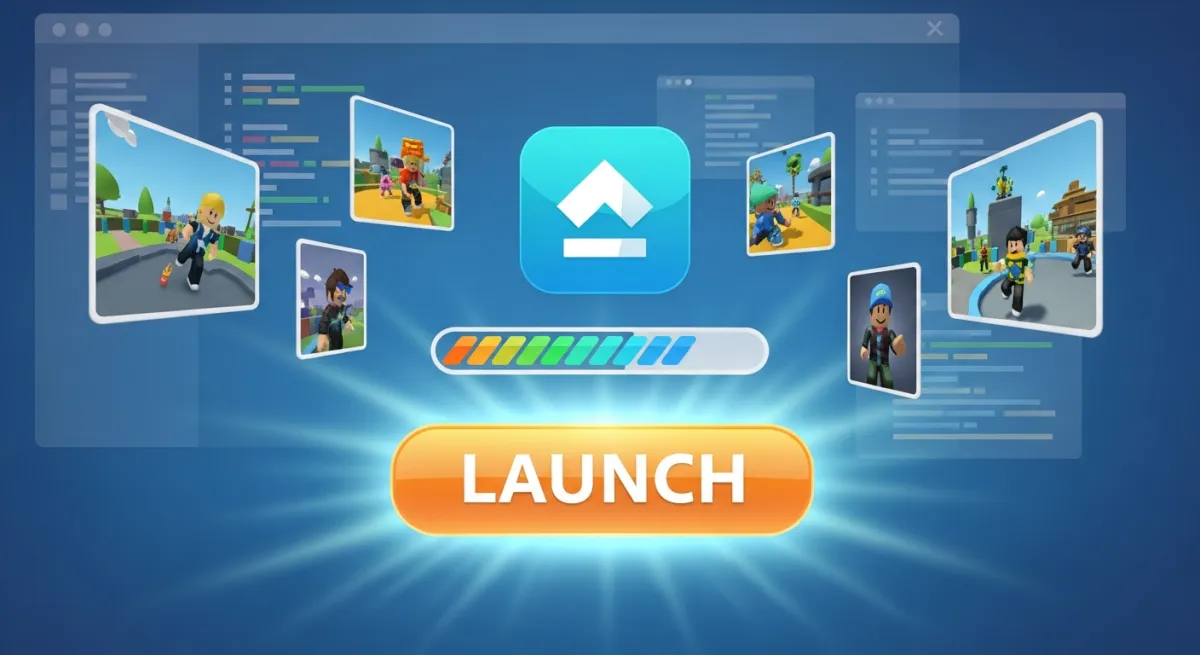
Once you are satisfied with your Roblox world, publishing it is the final step to share it with the world. In Roblox Studio, go to File > Publish to Roblox As... This will allow you to save your game to your Roblox account. After publishing, you can configure your experience settings on the Roblox website, including its name, description, genre, and whether it's public or private. To truly share it, make sure the game is set to "public" so others can find and play it. You can then share the game link directly with friends or through social media channels like Discord, which is a popular platform for connecting with gaming communities and finding new experiences. The excitement of seeing others enjoy your creation is incredibly rewarding.
How Can I Socialize and Build a Community Around My Roblox World?
Building a community around your Roblox world enhances the experience for everyone. Engage with players through your game's description, social links to Discord servers or groups, and in-game events. Respond to feedback, ask for suggestions, and create updates based on player input. Many successful Roblox creators host regular events, competitions, or even developer Q&As within their games to foster a sense of belonging. Social gaming is a huge trend, and creating a space where players feel connected and heard is paramount. Remember, a thriving community can be your most powerful asset for attracting new players and keeping existing ones engaged.
Creating your own Roblox world is more than just a technical exercise; it's an incredibly fulfilling journey of creativity, problem-solving, and community building. You've learned about the initial setup, essential tools, environment design, the importance of scripting, optimizing performance, rigorous testing, and ultimately, how to share your vision with millions of players. Whether you're aiming for a casual hobby or dreaming of the next big hit, Roblox Studio offers the tools to make it happen, fitting seamlessly into the lives of busy gamers who crave productive and fun creative outlets. The US gaming community is always looking for fresh, engaging experiences, and your world could be the next one to capture their attention.
What's your biggest gaming challenge when it comes to creativity? Or what kind of Roblox world are you dreaming of? Comment below! We'd love to hear your ideas and help you get started.
FAQ Section
Q: Is Roblox Studio completely free to use?
A: Yes, Roblox Studio is entirely free to download and use. You only need a Roblox account to access it. Any costs associated typically relate to optional in-game purchases for virtual items or promoting your game with Robux once it is published.
Q: Do I need prior coding experience to make a Roblox world?
A: Not necessarily. You can start building impressive environments and experiences using only the visual tools in Roblox Studio. However, learning basic Lua scripting significantly expands what you can create, adding interactive elements and complex game logic.
Q: How long does it take to create a decent Roblox world?
A: The time varies greatly depending on the complexity of your vision. A simple obby or social hangout might take a few days or weeks of part-time effort. More complex games with advanced scripting and intricate designs can take months or even years of continuous development. Consistency is more important than speed.
Q: Can I make real money by creating Roblox worlds?
A: Yes, Roblox offers various ways to monetize your creations through its Developer Exchange program (DevEx). This includes selling game passes, developer products, and premium payouts. Popular games with a large, engaged player base can generate significant Robux, which can then be converted into real-world currency. This month, successful creators are leveraging new avatar items and seasonal events to boost engagement and earnings.
Q: Are there resources for learning more about Roblox development?
A: Absolutely! The Roblox Developer Hub (developer.roblox.com) is an official, comprehensive resource with tutorials, documentation, and API references. There are also countless community-created YouTube tutorials, online forums, and Discord servers dedicated to Roblox development. These resources are invaluable for problem-solving and skill development.
Q: What are the biggest trends in Roblox game creation right now?
A: As of this month, popular trends include social hangout games, simulation experiences, role-playing games with strong community elements, and engaging obbies. Creators are also experimenting with user-generated content within their games, allowing players more customization. Mobile-friendly designs and cross-platform play remain crucial.
Create custom Roblox games, Learn Roblox Studio basics, Design interactive environments, Script game mechanics, Publish your Roblox world, Monetize your Roblox creations, Join a massive creator community, Enhance digital design skills, Balance gaming and life through creative projects
35


How To Draw A Roblox Noob Super Easy Step By Step Guide For Kids How To Make A Roblox Game In 2026 Beginner Guide 1024x683 . How To Message On Roblox 2026 A Quick Guide SL1500 . Who Is Evanca9 Roblox And What S Their Gaming Journey 1200x1769 . A Mother Or Father S Information To Utilizing Roblox In 2026 Ivugangingo 2026 Parental Guide For Roblox Usage UnicMinds . Ready To Share How To Publish Your Roblox Game


How To Draw A Roblox Noob Super Easy Step By Step Guide For Kids How To Play Roblox Online 1024x683 . Roblox Developer Challenge 2026 Community Events Developer Forum . April 2026 Roblox Creator Monthly Webinar Community Events 2 1023x576 . Easily Make A Custom Roblox World On IPad Book A Free Demo How To Make A World In Roblox On Ipad Main . Roblox Incubator And Jumpstart 2026 Build Next Gen Novel Games Roblox Incubator Jumpstart 2026.webp


Roblox MAKE ROBOTS TO TAKE OVER THE WORLD TYCOON Codes Wiki June 2026 Roblox MAKE ROBOTS TO TAKE OVER THE WORLD TYCOON Codes 768x429 . How To Create A Roblox Game Complete Step By Step Guide 2026 Obby How To Create A Roblox Game Hero.webp. How To Make A Roblox Game On Mobile IPad Phone 2026 Obby Obby Blog. How To Message On Roblox 2026 A Quick Guide . How To Make A Game In Roblox In 2026 Complete Beginner S Guide Adellion Image
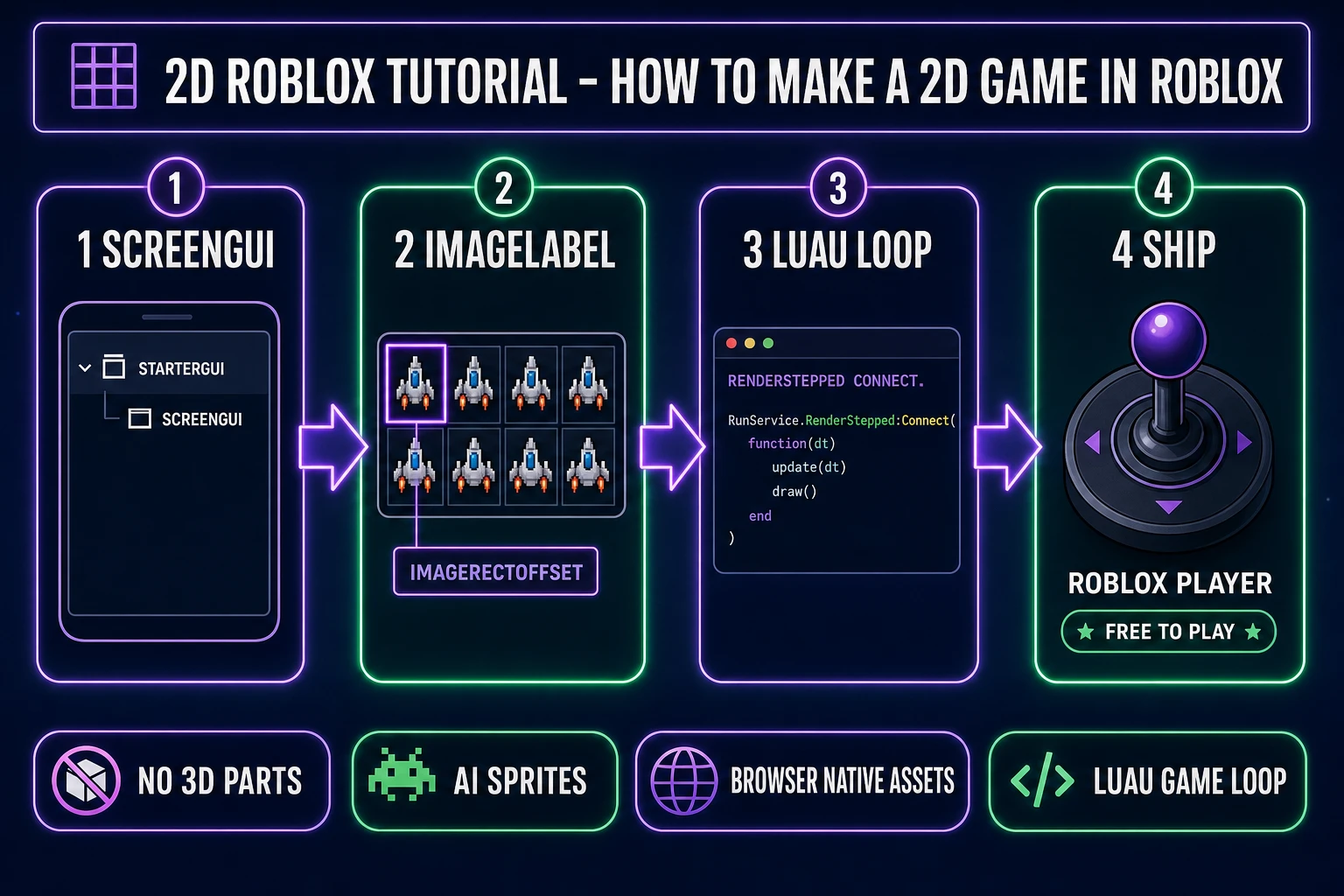

2D Roblox Tutorial How To Make A 2D Game In Roblox Sorceress Blog 2d Roblox Tutorial How To Make A 2d Game In Roblox Hero. How To Make A Roblox Game Complete Beginner Guide 2026 Og Image . How To Make Roblox UGC Items Full Creator Guide Roblox Desk How To Make Roblox Ugc.webp. How To Create Roblox Games 2026 Guide Image 095b439e Fc20 47a0 87dc . How To Create Custom Maps In Roblox Step By Step Guide Image

World Zero Codes June 2026 Roblox 2727067538 NoFilter . How To Make A Roblox Game In 2026 6 Steps Meshy Hero?.webp. Storage Hunters Open World How To Farm Accessories And Boost Luck Roblox Storage Hunters Open World How To Farm Accessories Up Cover Scaled.webp. Grand Alfheim On Roblox Codes Best Races And How To Play Grand Alfheim Guide Codes Tips Tricks How To Play White Cred Cover.webp. How To Get Free Robux In Roblox 2026 Beebom Free Robux Roblox Cover
How To Create Roblox 3D Models 3 Ways Step By Step Blog Meshy How To Import Models Into Blender Cover.webp. Experience Abstraction On Roblox How To Abstract Explained How To Abstract In Experience Abstraction Roblox Cover Scaled.webp. Palworld 1 0 How To Get Legendary Schematics For Every Weapon And Armor Palworld 1 0 How To Make Any Pal Alpha Easy Legendary Schema Cover Scaled.webp. How To Publish A Game On Roblox Complete Guide 2026 Obby How To Publish Roblox Game Hero.webp. How To Get All Markers In Roblox Find The Markers 2026 Update Roblox Find The Markers



Roblox R6 Explained What Does It Really Mean Oar2 . How To Make A Roblox Script Complete Beginner S Tutorial 202 Obby How To Make A Roblox Script Hero.webp. Roblox Maps Your Guide To Building Awesome Worlds . How To Create A Roblox Account In 2026 What You Need Roblox Studio Home . How To Get Free Robux In Roblox 2026 Beebom Make Roblox Games To Earn Robux