Unlock exclusive in-game items and currency effortlessly with this comprehensive guide on how to redeem a code on Roblox. For busy gamers balancing life and play, understanding the quick and correct process for redeeming codes can save valuable time and enhance your gaming experience. Roblox codes offer everything from free Robux to unique avatar accessories and limited-time power-ups, making them a must-know for anyone looking to maximize their enjoyment without breaking the bank. This guide covers the various types of codes, where to find them, and step-by-step instructions for redemption on desktop, mobile, and even console platforms. Discover troubleshooting tips for common issues and best practices to ensure your codes always work as intended. Stay ahead of the curve and make the most of every freebie or purchase with this essential resource tailored for the modern US gamer who values efficiency and fun. No more missing out on exclusive content or struggling with confusing interfaces.
How do you redeem a code on Roblox?
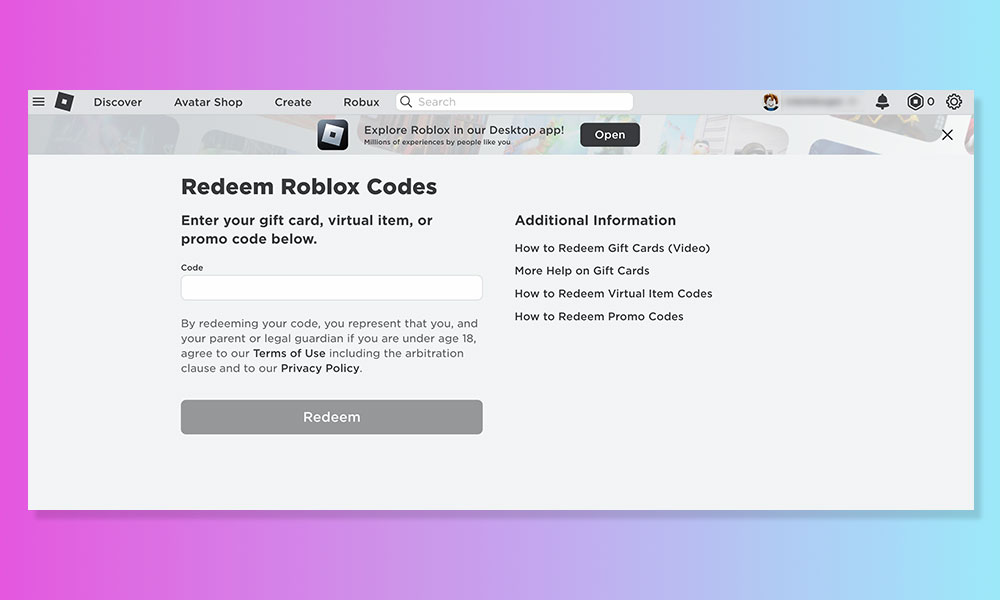
You redeem codes on Roblox primarily through two official website pages: roblox.com/redeem for Gift Cards (for Robux or Premium) and roblox.com/promocodes for promotional codes (for free virtual items). Log into your account, enter the code accurately, and click 'Redeem'. Ensure you're on the correct page for the specific type of code you have.
Where is the official Roblox Gift Card redemption page located?
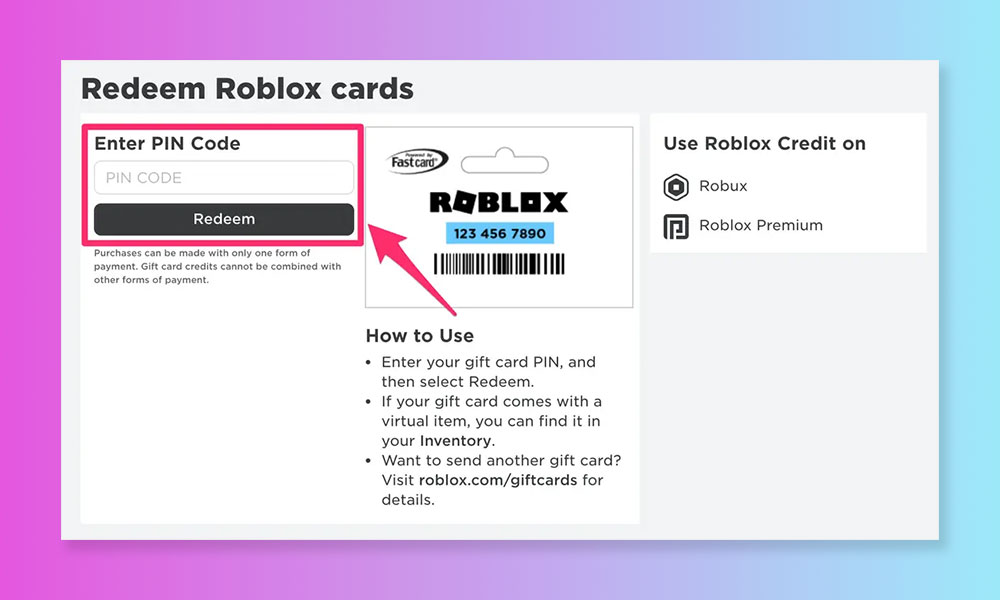
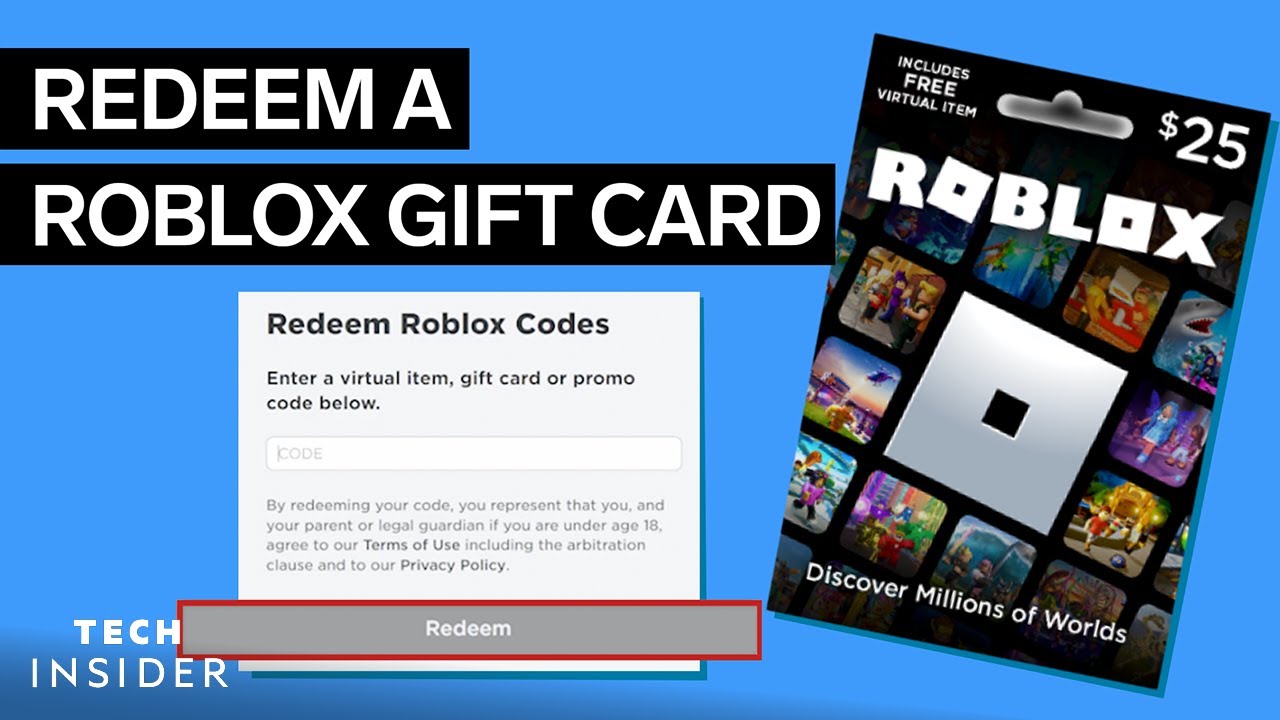
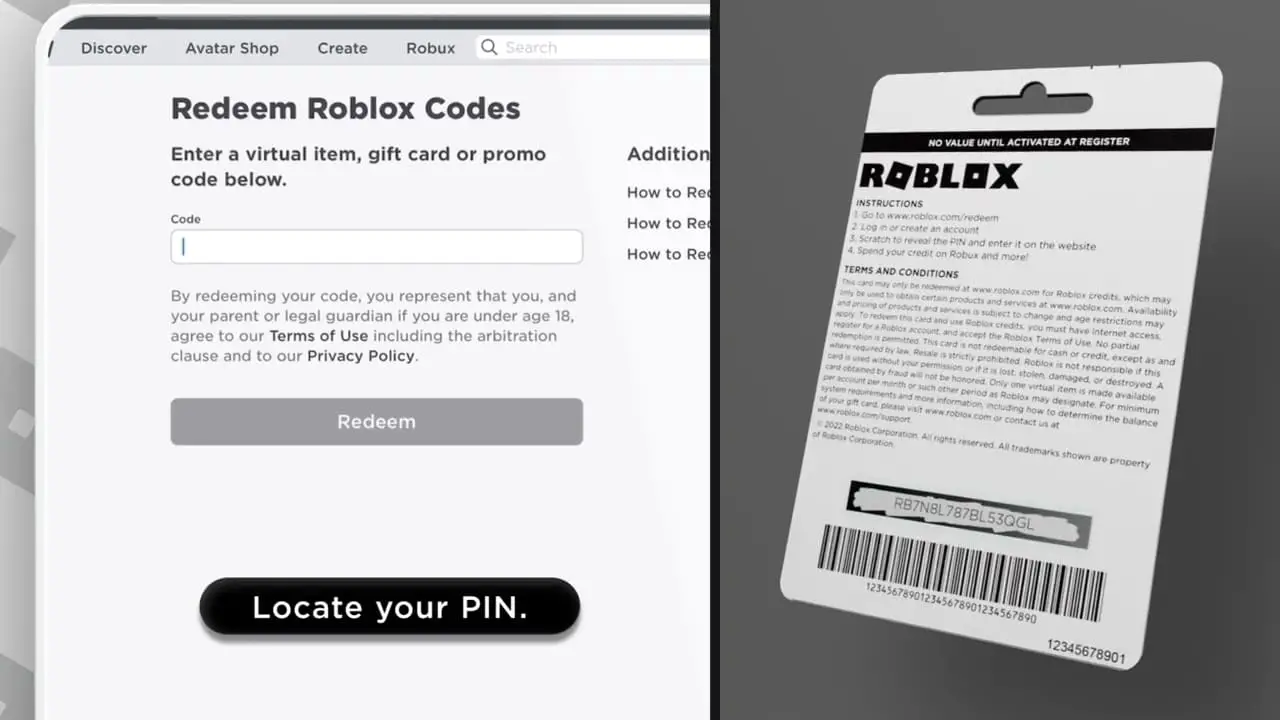
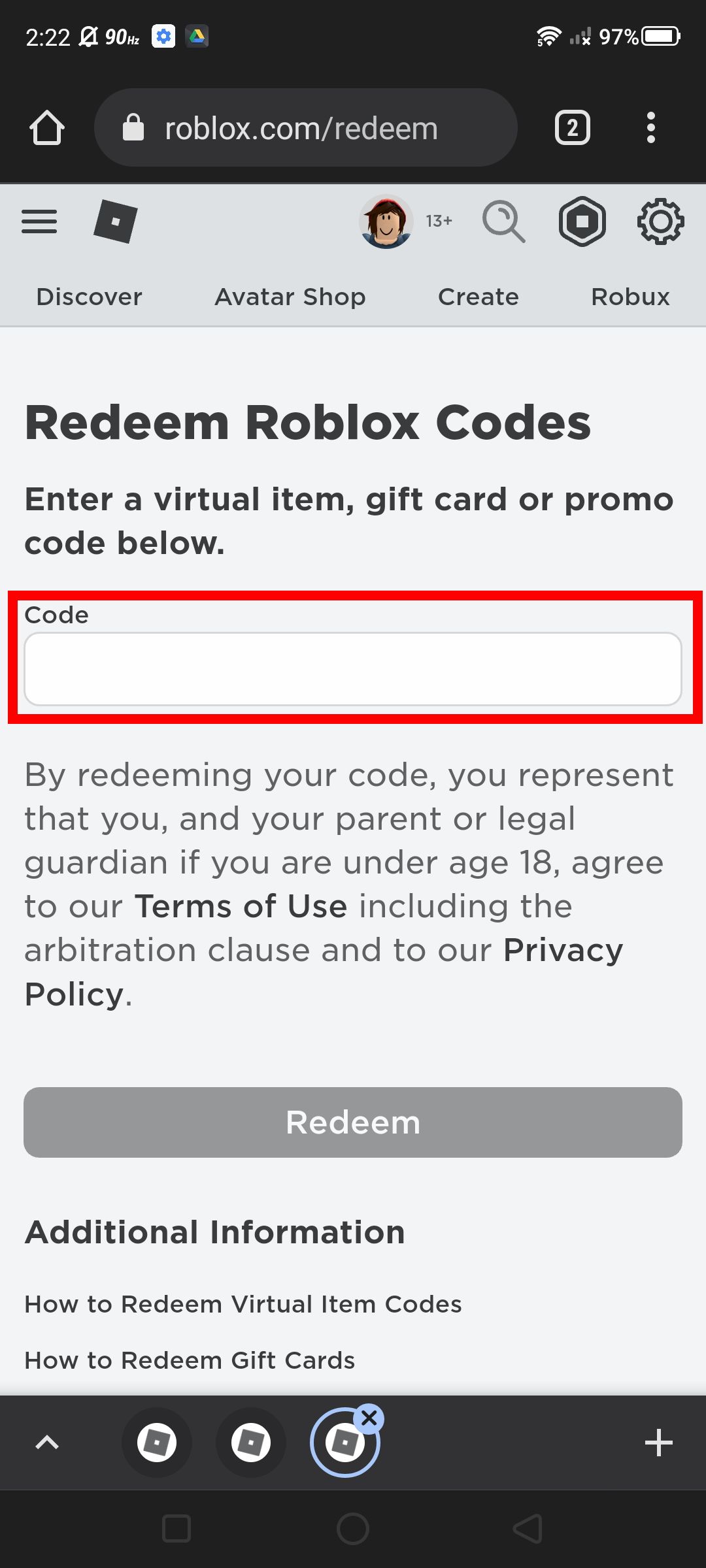
The official Roblox Gift Card redemption page is located at www.roblox.com/redeem. This is where you enter the PIN from your physical or digital gift card to add Robux or activate a Premium subscription to your account. Make sure you are logged into the correct Roblox account before entering the code.
What should I do if my Roblox promo code says it's expired?
If your Roblox promo code says it's expired, unfortunately, it means the code is no longer valid and cannot be redeemed. Most promo codes for free virtual items have a limited redemption period. Always check the release date and any stated expiration for codes you find online to avoid disappointment.
Can I redeem Roblox codes directly within a game or experience?
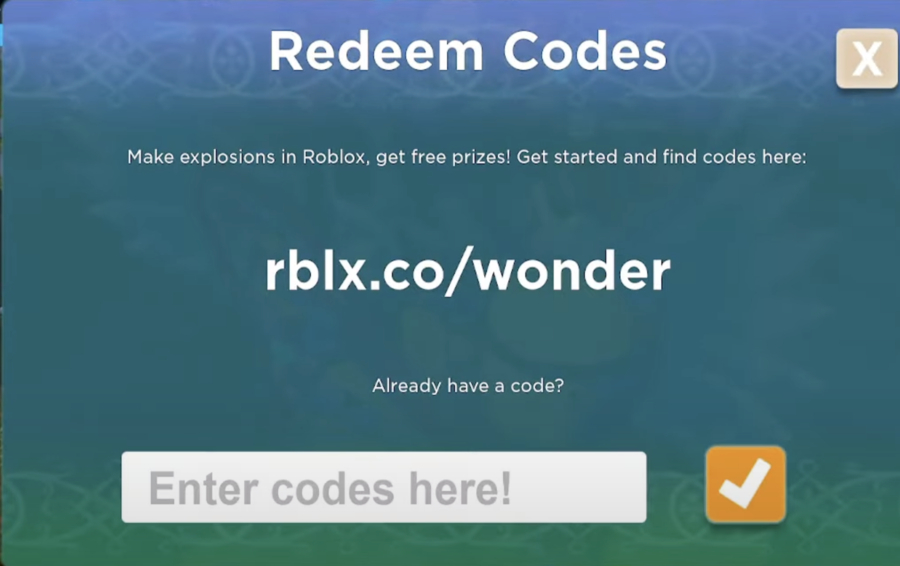
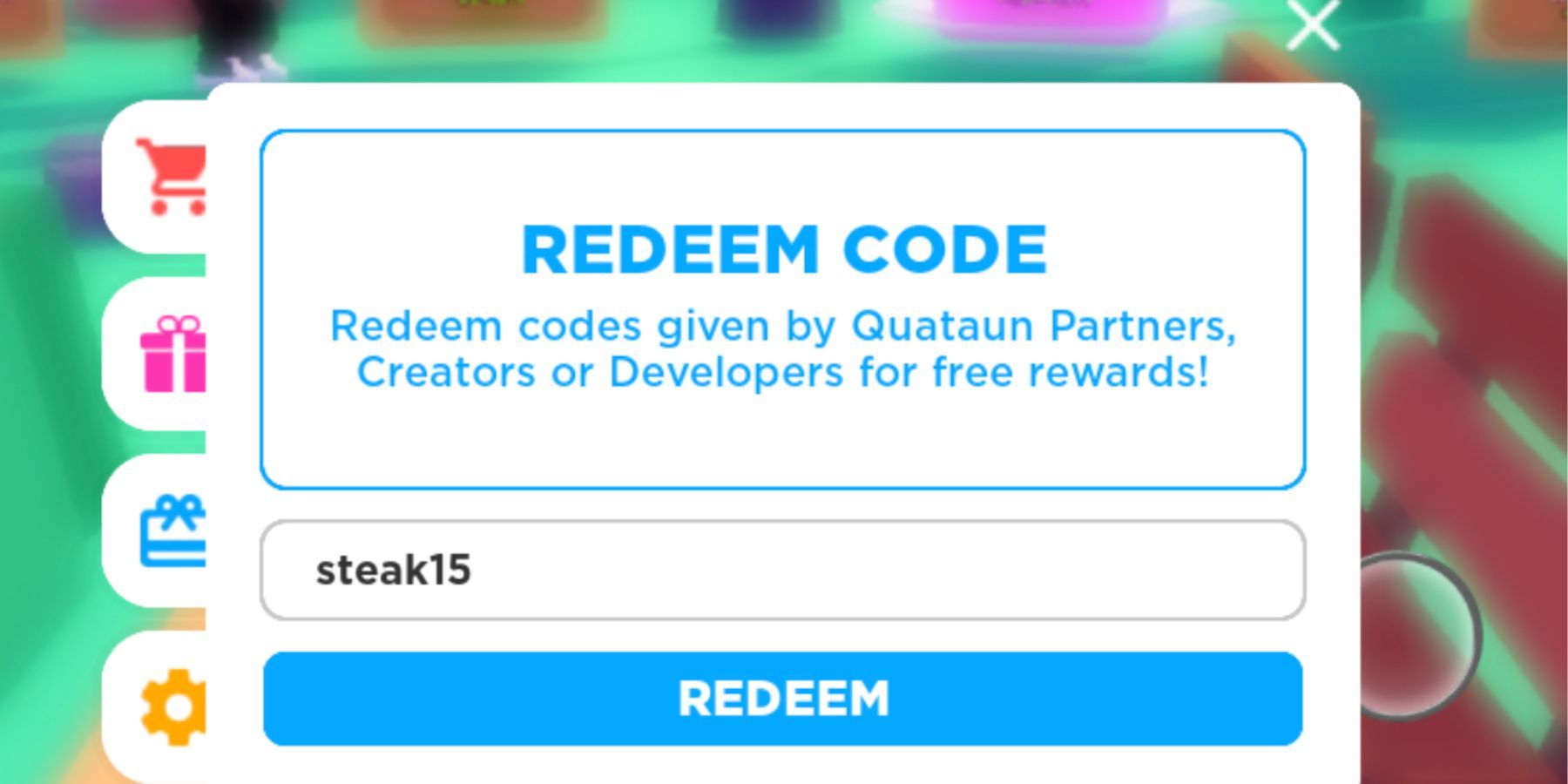
Generally, no, you cannot redeem universal Roblox codes (like gift cards or promo codes for avatar items) directly within individual Roblox games or experiences. These codes must be redeemed on the official Roblox website. Some specific experiences might have their own in-game codes for unique items or boosts, but those are distinct from global Roblox codes.
How do Roblox Star Codes work and are they redeemed differently?
Roblox Star Codes are used to support content creators during Robux purchases, not to give you free items or Robux. You enter a Star Code on the Robux purchase page *before* completing your transaction, and a portion of your purchase supports the creator. They are not redeemed like gift cards or promo codes for in-game currency or items.
What are the common reasons a Roblox code might not work, and how can I fix them?
Common reasons a Roblox code might not work include typos, the code being expired, already redeemed, or attempting to use it on the wrong redemption page (e.g., a gift card on the promo code page). To fix, carefully re-enter the code, verify its validity, ensure you haven't used it before, and double-check you're on the correct official Roblox redemption website for that code type.
Is it safe to get Roblox codes from third-party websites?
It is generally not safe to get Roblox codes from unknown third-party websites, as many are scams designed to steal your account information or spread malware. Always stick to official Roblox channels (like their social media or blog) or highly reputable gaming news sites when looking for legitimate promo codes. Be extremely cautious about 'free Robux generators' as these are almost always fraudulent.
Hey fellow gamers! Ever snagged an awesome Roblox gift card, a sweet promo code from a live event, or a free item code from a game developer, only to stare at it wondering, how do you redeem a code on Roblox? You are not alone. With 87 percent of US gamers regularly playing, many balancing 10+ hours a week with jobs and family, efficiency is key. We all love getting that extra edge or cool cosmetic without the fuss, especially when mobile gaming continues to dominate and quick, clear instructions are paramount. Let's face it, your gaming time is precious, and spending it hunting for the right button or troubleshooting a finicky code is no fun.
Roblox, with its expansive universe and countless experiences, often rewards its dedicated community with these digital treasures. Whether it's a code for Robux, a limited-edition accessory, or a boost in your favorite experience, knowing exactly how to redeem a code on Roblox quickly and correctly can mean the difference between instant gratification and frustrating searching. This guide is built for you, the busy gamer who appreciates straightforward solutions, values every penny, and wants to stay current without the hype. We are going to walk through every step, troubleshoot common hiccups, and make sure you are always ready to claim your rewards. Let's dive in and unlock those goodies!
What are the main types of codes you can redeem on Roblox?
Roblox offers a few distinct types of codes, each serving a different purpose and often redeemed in specific locations. Understanding these categories is the first step to a smooth redemption process. The primary types are Gift Card Codes, Promotional Codes (Promo Codes), and Toy Codes/Virtual Item Codes, often found on physical Roblox toys.
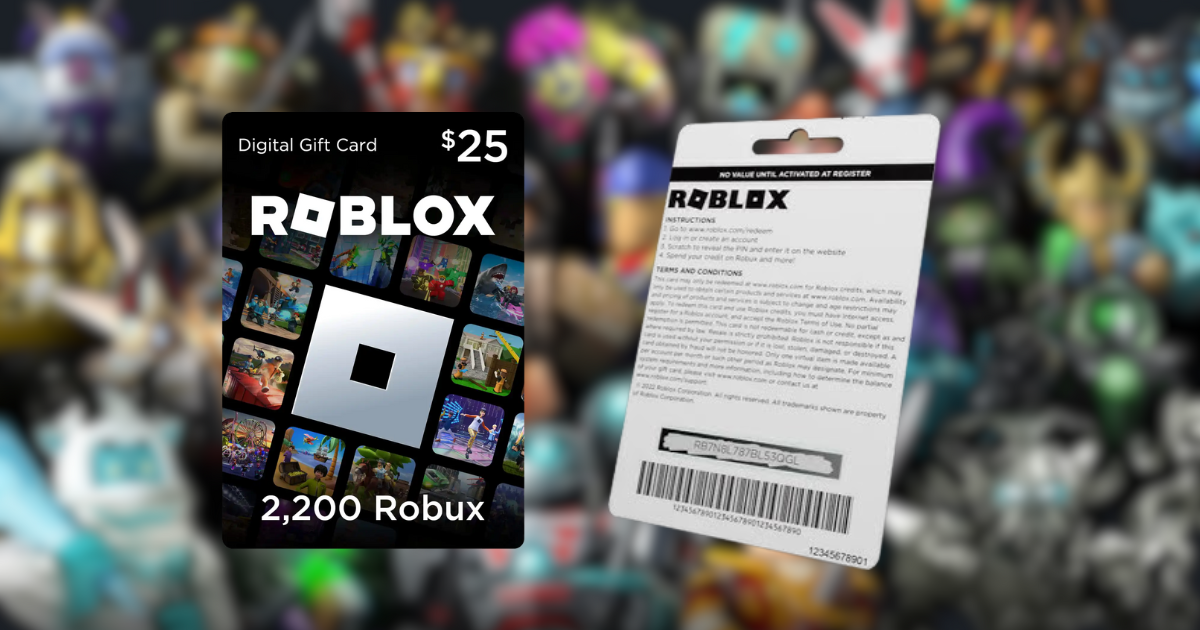
Gift Card Codes are typically used to add Robux to your account or purchase a Roblox Premium subscription. These are usually alphanumeric sequences found on physical gift cards bought from retailers or digital cards purchased online. Promotional Codes, often called Promo Codes, are usually for free virtual items like hats, shirts, or accessories. They are released by Roblox during events, partnerships, or through social media channels. Lastly, Toy Codes or Virtual Item Codes come with physical Roblox action figures or playsets and unlock exclusive virtual versions of those toys or related items within the game.
Where exactly do I go to redeem a Roblox Gift Card?
Redeeming a Roblox Gift Card is a straightforward process that grants you Robux or Premium membership. This is handled on a specific section of the Roblox website, separate from promo codes.
To redeem a Roblox Gift Card:
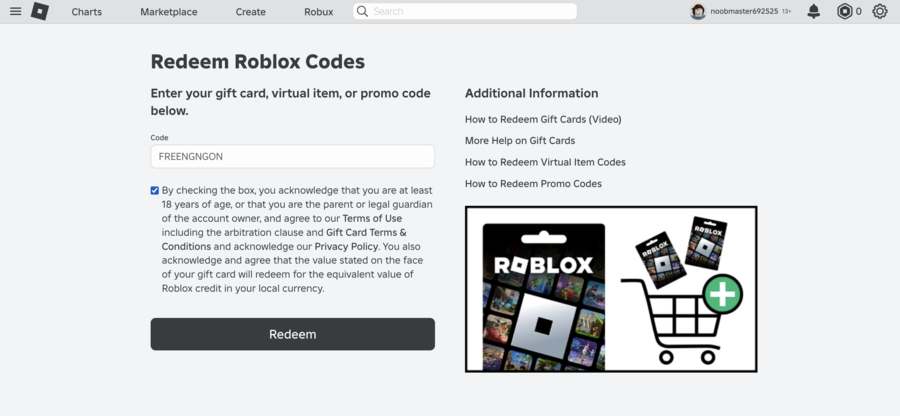
- Open your web browser and go to the official Roblox Gift Card redemption page: www.roblox.com/redeem.
- Log into your Roblox account if you haven't already. It is crucial to be logged into the account where you want the Robux or Premium to be applied.
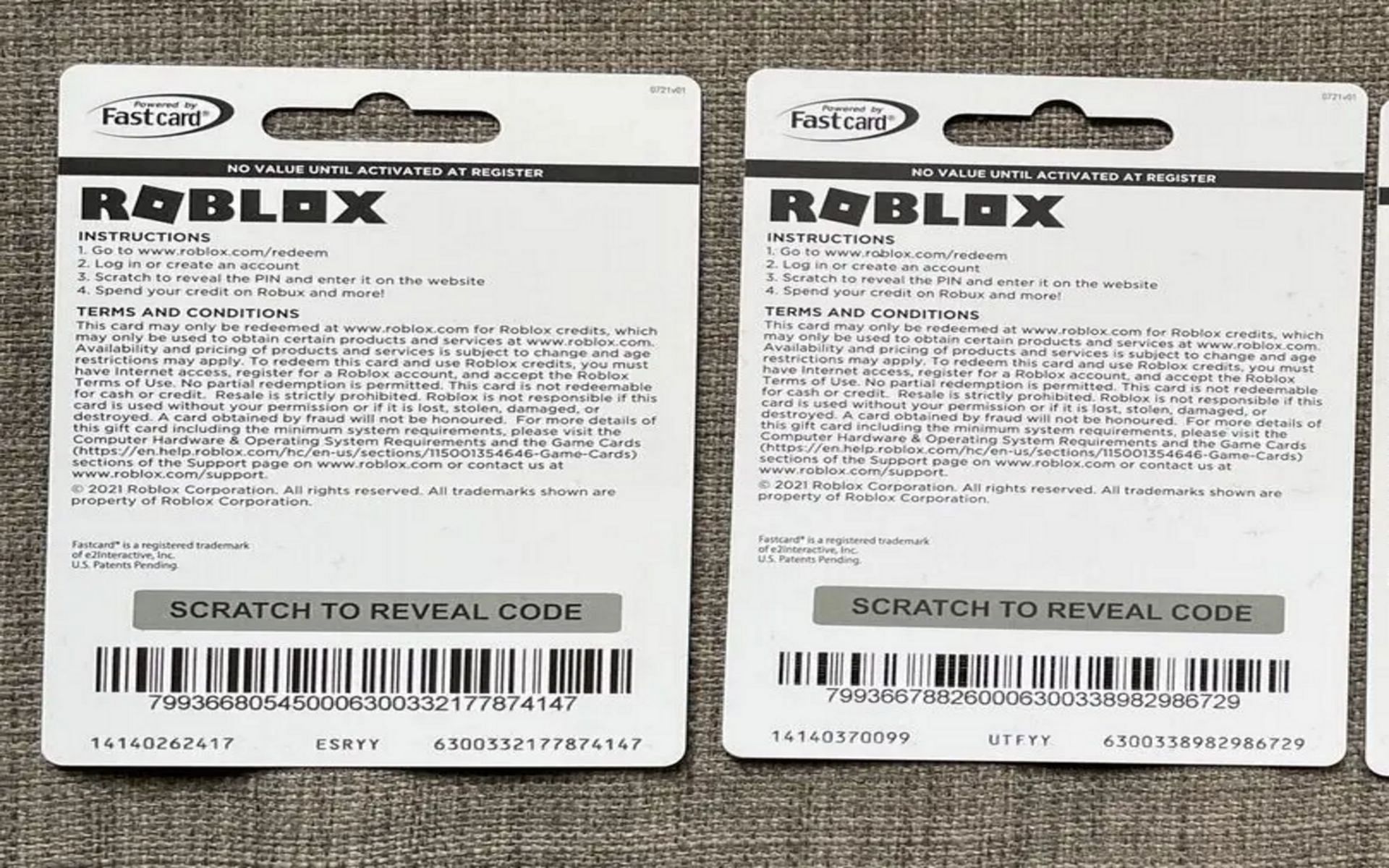
- Carefully enter the PIN code from your gift card into the provided box. This code is typically found on the back of a physical card, often under a scratch-off strip, or directly in your email for digital cards.
- Click the 'Redeem' button.
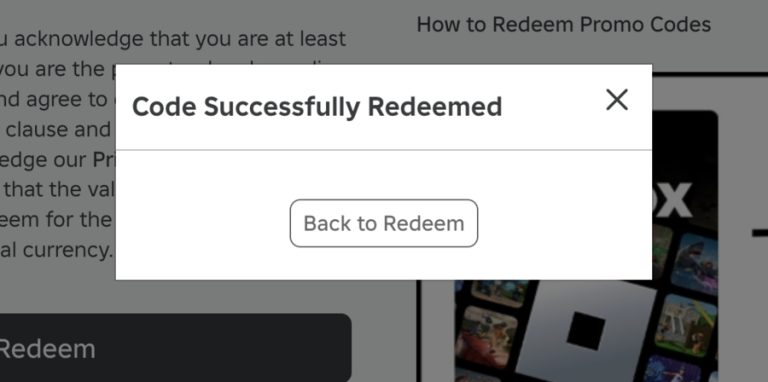
- Once successful, you will see a confirmation message, and the Robux or Premium benefits will be added to your account balance almost instantly.
How do I redeem a code on Roblox for a free virtual item or promo code?
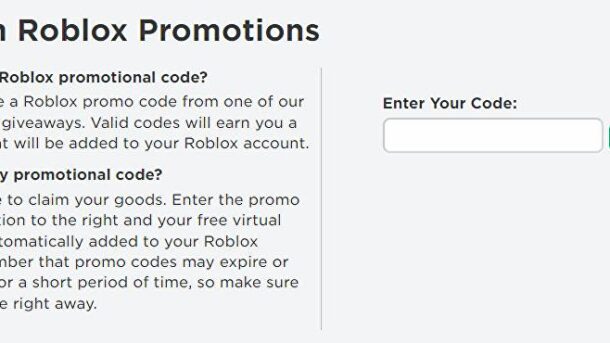
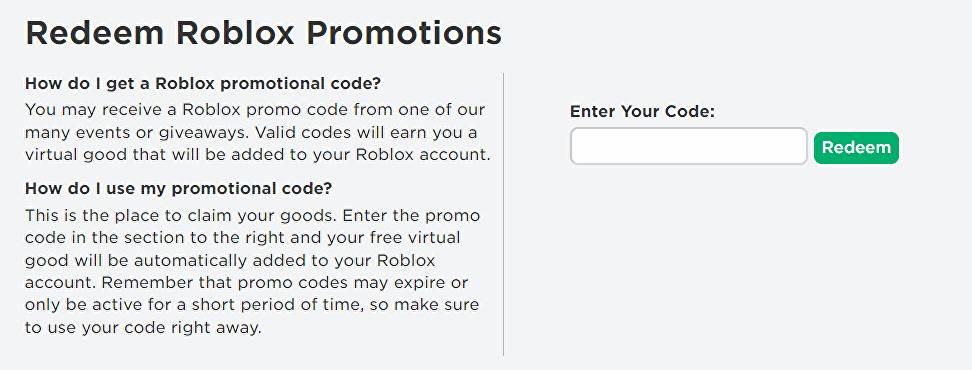
For those sweet free virtual items, Roblox promo codes have their own dedicated redemption page. This is different from the gift card page, so make sure you are in the right spot to avoid confusion.
To redeem a Roblox Promo Code:
- Navigate to the Roblox Promo Code Redemption page: www.roblox.com/promocodes.
- Ensure you are logged into your Roblox account. The item will be added directly to the inventory of the account you are currently using.
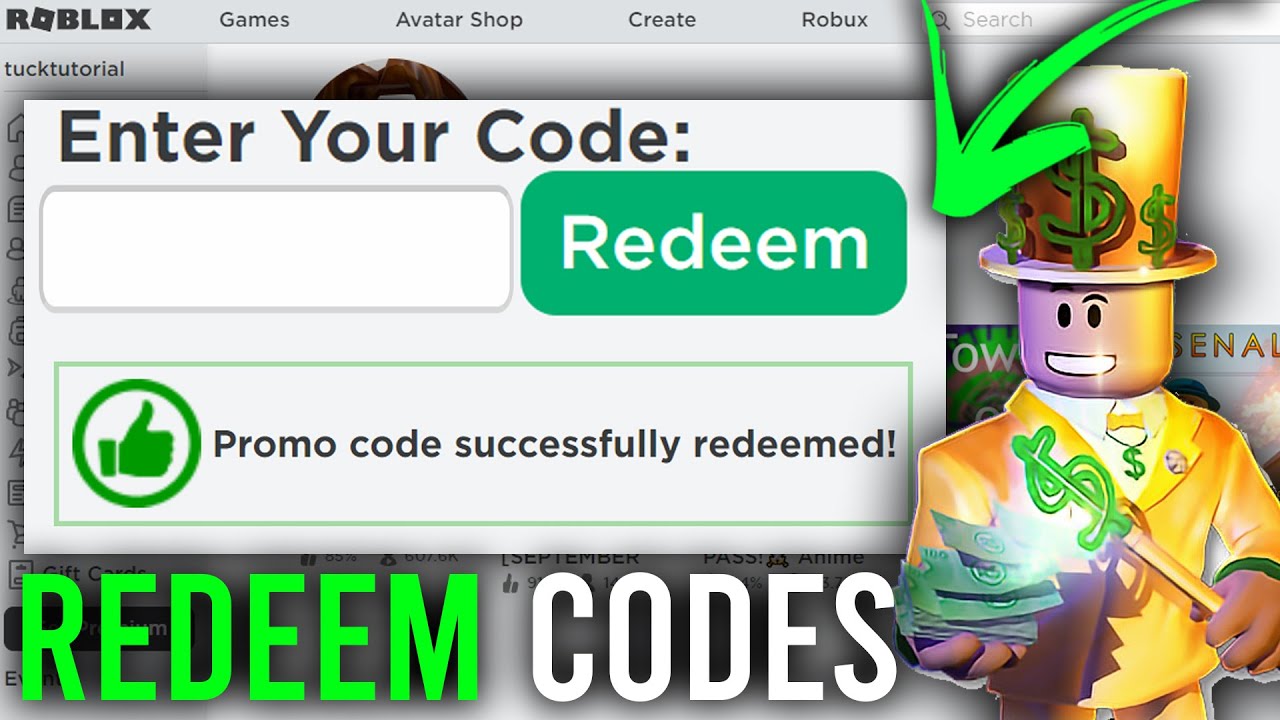
- Enter your promo code into the 'Enter Your Code' field. These codes are usually case-sensitive, so enter them exactly as they appear.
- Click the 'Redeem' button.
- A success message will appear if the code is valid, and the item will be added to your avatar inventory, accessible from the avatar editor. If the code is expired or invalid, an error message will display.
Can I redeem Roblox codes on my mobile device or app?
Absolutely! Mobile gaming is huge, and Roblox understands that. While the primary redemption process is often done via a web browser, some methods are mobile-friendly.
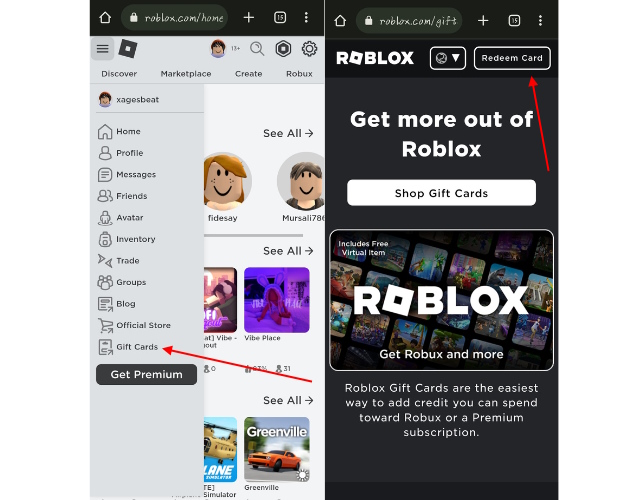
For Gift Cards: You can use a mobile browser (like Chrome or Safari) on your smartphone or tablet to visit www.roblox.com/redeem, just as you would on a desktop. The mobile website is fully optimized for this. The Roblox mobile app itself does not have a direct gift card redemption feature within it, so using your mobile browser is the way to go.
For Promo Codes: Similarly, for promotional codes, open your mobile browser and head to www.roblox.com/promocodes. The mobile web experience is seamless for these redemptions. After redeeming, the item will appear in your avatar inventory, which you can then customize within the Roblox app.
Why is my Roblox code not working? Common troubleshooting tips.
It's incredibly frustrating when you have a code and it just will not go through. Most issues are minor and easily fixed. Here are the most common reasons your Roblox code might not be working and how to troubleshoot them:
- Typos and Case Sensitivity: Double-check the code for any errors. Many codes are case-sensitive. It's easy to mix up an 'O' for a '0' or an 'I' for a '1'.
- Expired Code: Roblox codes, especially promo codes for free items, often have an expiration date. If the code is old, it is very likely it has expired. Always check the validity period if possible.
- Already Redeemed: A code can usually only be redeemed once per account. If you or someone else has already used it on your account, it will show as invalid.
- Incorrect Redemption Page: Make sure you are using the correct page. Gift cards go to www.roblox.com/redeem, and promo codes go to www.roblox.com/promocodes. Trying to use a gift card on the promo code page will always result in an error.
- Regional Restrictions: Some codes might be region-specific. While less common, certain promotions might only be valid in particular countries.
- Internet Connection: Ensure you have a stable internet connection. A patchy connection can sometimes cause redemption failures.
- Temporary Glitches: Occasionally, Roblox servers might experience minor issues. If you have tried everything else, wait a few minutes and try again.
What is a Roblox Star Code and how does it differ from other codes?
A Roblox Star Code is a unique code that content creators (like YouTubers or streamers) use to earn a small commission from Robux purchases made by their supporters. It's a fantastic way to support your favorite creators without any extra cost to you.
Unlike gift cards or promo codes, Star Codes do not give you free items or Robux directly. Instead, when you enter a Star Code during a Robux purchase, a portion of that purchase goes to the creator associated with the code. It's a 'thank you' to the creator from Roblox. You can enter a Star Code on the Robux purchase page before completing your transaction. It's an optional field and doesn't affect the amount of Robux you receive.
Are there any risks associated with redeeming codes, like scams?
Unfortunately, yes, scams are a real concern in the online gaming world, and Roblox is no exception. As busy gamers, we often look for shortcuts or freebies, which can make us targets. Always be vigilant.
- Fake Websites: Never enter your Roblox login details or code on a website that is not officially roblox.com. Scammers create fake sites that look legitimate but are designed to steal your account information.
- 'Free Robux Generators': These are almost always scams. There is no legitimate 'generator' for free Robux. Any site promising this is trying to get your personal information or infect your device with malware.
- Unverified Giveaways: Be wary of giveaways from unknown sources, especially those that ask you to click suspicious links or provide account details. Stick to official Roblox channels or trusted content creators.
- Phishing Emails/Messages: Do not click on links in emails or messages claiming to offer free Robux or codes if they look suspicious. Roblox will communicate through official channels.
Always prioritize your account security. Use two-factor authentication, never share your password, and only redeem codes on the official Roblox website.
How can I find legitimate Roblox promo codes and keep track of new releases?
Staying updated with legitimate Roblox promo codes can feel like a full-time job, but there are smart ways to do it without constant searching. For gamers balancing life and play, efficiency is key.
- Official Roblox Channels: Follow Roblox's official Twitter, Facebook, and other social media accounts. They frequently announce new codes during events or special promotions.
- Roblox Blog: The official Roblox Blog often posts updates and announcements, including new virtual item releases and promo codes.
- Reputable Gaming News Sites: Many established gaming websites and blogs compile lists of active Roblox codes. Look for sites that are regularly updated and have a strong reputation for accuracy.
- Trusted Roblox Content Creators: Some creators are given early access to codes or announce them during their streams/videos. Look for creators who are part of the Roblox Video Stars program.
- In-Game Events: Sometimes, codes are hidden within specific Roblox experiences or given out during virtual events. Keep an eye on popular events within the game.
Always cross-reference codes you find with a quick search on a reputable site or the official Roblox channels to confirm their legitimacy before attempting to redeem them.
So, there you have it! Redeeming codes on Roblox does not have to be a mystery. With the right knowledge and a bit of caution, you can easily unlock all those exciting virtual items, add Robux to your account, and support your favorite creators. Remember, for the busy gamer, knowing these tips means more time playing and less time troubleshooting. Happy gaming!
What is your biggest gaming challenge? Comment below!
FAQ Section
Is there an official list of all active Roblox promo codes?
No, Roblox does not maintain a single official public list of all active promo codes. Codes are released periodically through various channels, and their validity periods can differ. Your best bet is to follow official Roblox social media accounts and trusted gaming news sites for updates.
Can I use an expired Roblox code?
No, expired Roblox codes cannot be used. Once a code's validity period has passed, it becomes inactive and will generate an error message if you try to redeem it. Always check the expiration date if one is provided.
What is the difference between a Roblox Gift Card code and a Promo Code?
A Roblox Gift Card code adds Robux or Roblox Premium to your account and is redeemed at roblox.com/redeem. A Promo Code, on the other hand, grants a free virtual item for your avatar and is redeemed at roblox.com/promocodes. They serve different purposes and have separate redemption pages.
Can I get Robux from promo codes?
Generally, no. Roblox promo codes are almost exclusively for free virtual items or avatar accessories. Robux are typically acquired through direct purchase, Roblox Gift Cards, or Premium subscriptions. Be wary of any site claiming to offer free Robux via a simple promo code, as it's likely a scam.
How long does it take for redeemed items to appear in my inventory?
Once a code is successfully redeemed, virtual items usually appear in your avatar inventory almost instantly. Robux from gift cards are also added to your account balance immediately. If there is a delay, try refreshing your page or restarting the Roblox application.
Where can I find my redeemed items in Roblox?
After successfully redeeming a virtual item code, the item will be added to your avatar inventory. To find it, log into your Roblox account on the website or mobile app, navigate to the 'Avatar' section (often represented by a profile icon), and browse through the categories like 'Hats', 'Shirts', 'Pants', 'Accessories', etc., to find your new item. For Robux, your balance is displayed at the top right of your screen on the Roblox website or in the Robux section of the mobile app.
Effortless Roblox code redemption across all platforms, understand code types and sources, troubleshoot common redemption issues, maximize freebies and in-game value, quick steps for desktop and mobile users.
35
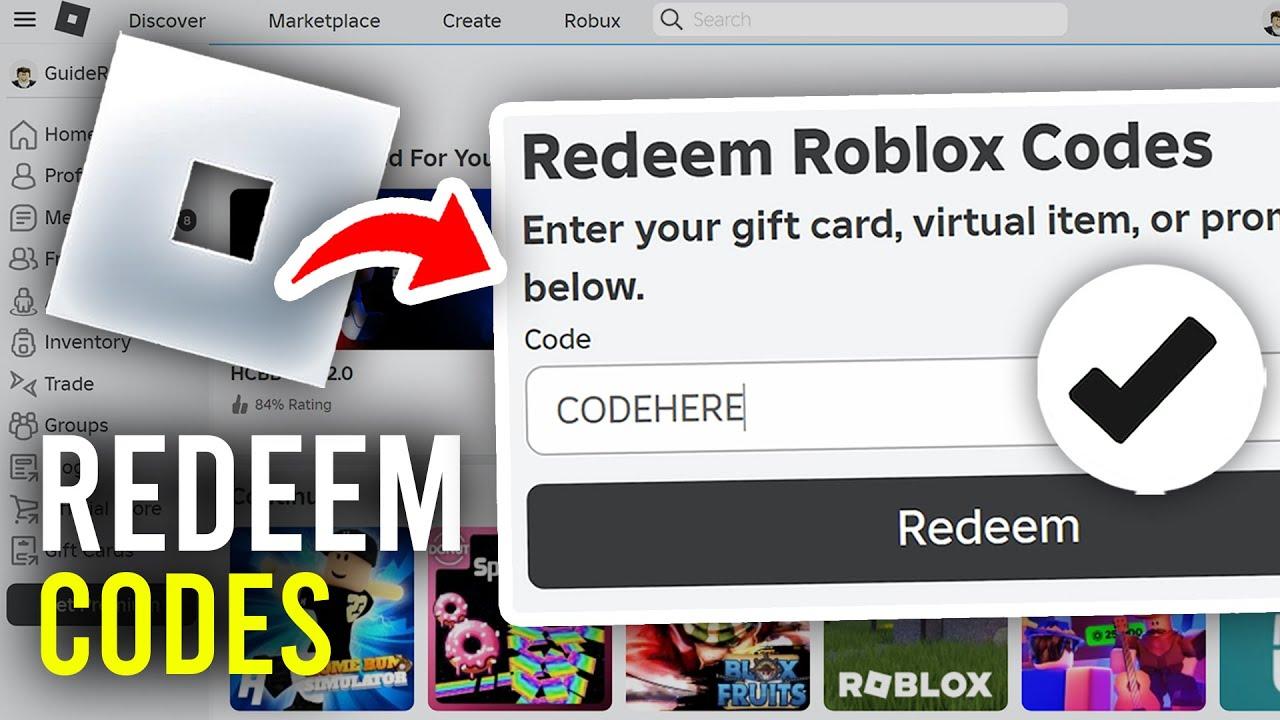
Roblox Promo Codes For 2026 All Working Codes Beebom Roblox Promo Code Redeem . Www Roblox Com Redeem Codes Your 2026 Guide To Free Rewards AxeeTech Www Roblox Com Redeem Codes . How Can You Redeem Roblox Codes Easily In 2026 Redeem Roblox Codes 1 . How To Redeem Roblox Credit 2026 Quick Guide. How To Redeem A Roblox Gift Card 2026 YouTube
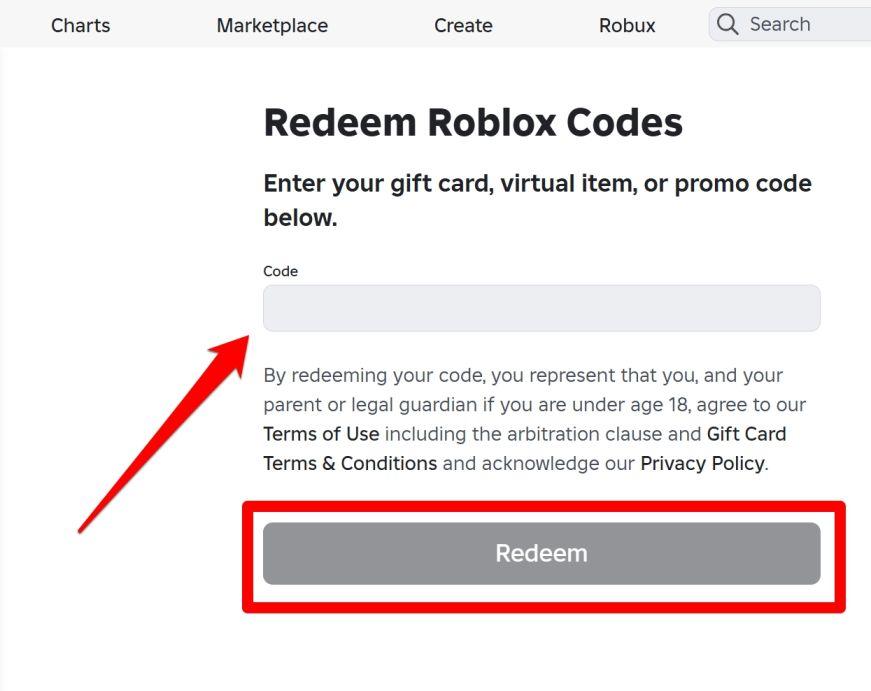

Roblox Promo Codes June 2026 All Active Items Free Gear AxeeTech How To Redeem Roblox Promo Codes . Redeeming Roblox Gift Cards A 2026 Easy Guide Redeem Page 9549829 . How To Redeem Roblox Credit 2026 Quick Guide Redeem Pin 6425158 . How To Redeem Roblox Codes Mobile PC YouTube . How Can You Redeem Roblox Codes Easily In 2026 Pls Donate Codes Redeem Option



Redeeming Roblox Gift Cards A 2026 Easy Guide Aid13048073 V4 1200px Use A Roblox Gift Card On IPhone Step 10 . How To Redeem Roblox Gift Card Easy Guide Beebom Redeem Button And Redeem Successful Option . How To Redeem Roblox Codes 2026 Get FREE Unlimited YouTube . How To Redeem Roblox Codes Mobile PC Redeem Codes On Roblox YouTube . How Can You Redeem Roblox Codes Easily In 2026 Roblox Redeeming A Robux Gift Card

Roblox Com Redeem . How To Redeem Roblox Codes A Quick Guide For Players Steps To Redeem Roblox Codes On Web . Are Apt Roblox Codes Real And How Do You Find Them . Free Roblox Promo Codes June 2026 Fossbytes Redeem Roblox Codes 2 768x382 . How To Redeem Roblox Credit 2026 Quick Guide


How Can You Redeem Roblox Codes Easily In 2026 Redeem Roblox Codes 4 . Roblox Redeem C Ch Nh P Code Nhanh V N Gi N . Redeeming Roblox Gift Cards A 2026 Easy Guide How To Redeem A Roblox Gift. How Can You Redeem Roblox Codes Easily In 2026 Roblox Redeem Page 610x343 . How Do You Redeem A Roblox Gift Card GameDaily How Do You Redeem A Roblox Gift Card


How Can You Redeem Roblox Codes Easily In 2026 Roblox Redeem Code Thumbnail . Want Freebies How To Get Codes For Roblox 2026 Roblox Codes.webp. How Can You Redeem Roblox Codes Easily In 2026 752c4 1920 . How Can You Redeem Roblox Codes Easily In 2026 How To Redeem Codes In Rivals Roblox . Roblox Promo Codes 2026 All Active Items Free Gear AxeeTech Roblox Promo Codes

How Can You Redeem Roblox Codes Easily In 2026 Roblox Redeem Page . How To Redeem On Roblox L Lectronique D Abord 1678968316 . How To Redeem Roblox Gift Card Easy Guide Beebom Redeem Gift Card Section In Roblox Mobile . How Can You Redeem Roblox Codes Easily In 2026 Roblox Pls Donate Codes 1 . Redeeming Roblox Gift Cards A 2026 Easy Guide Roblox Redeem 6